Modifiers menu
Table of contents
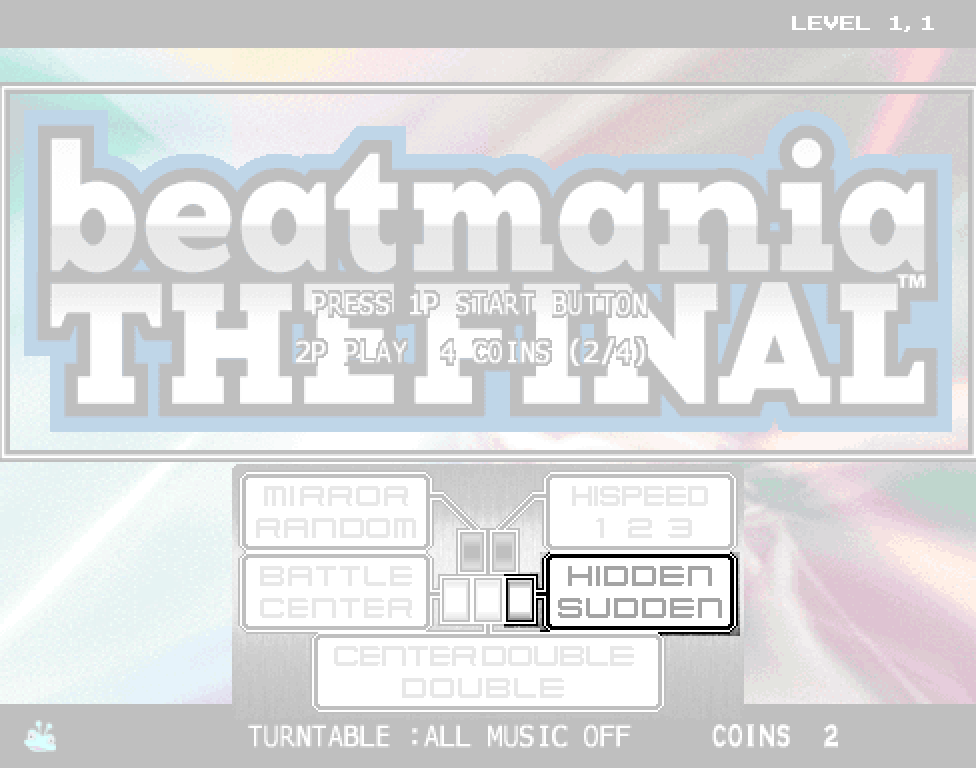
Title screen modifiers menu
When you press the Effect button on the title screen, you’re given a range of options to choose from before you start the game.
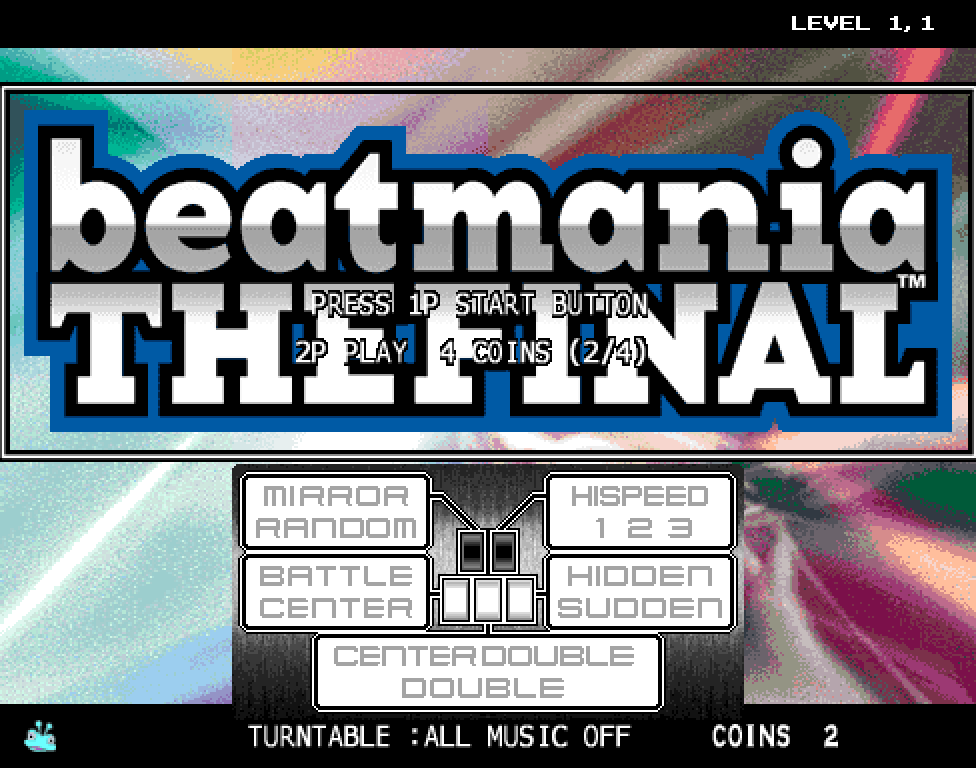
- To activate a modifier, press the corresponding key it’s linked to. It will be highlighted when it is active.
- Some modifiers may have multiple different selections if you press them again; to deactivate it fully, keep pressing until the text is unhighlighted.
Many of the modifiers here may not be entirely clear, so to help, let’s break it down a bit.
Battle/Center modifiers
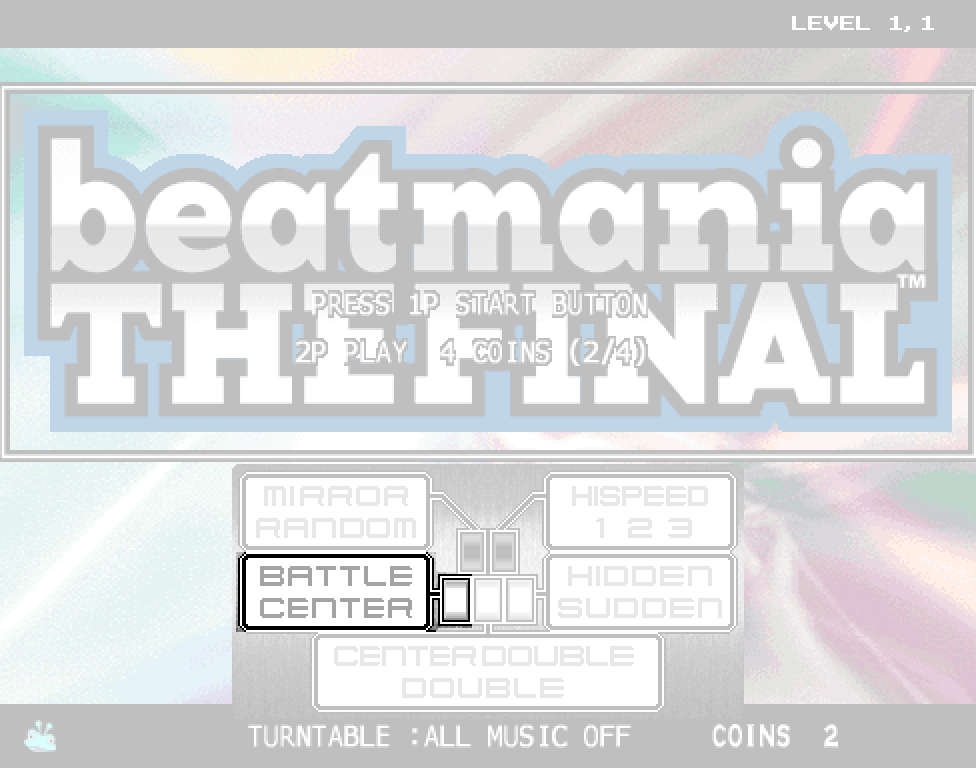
Battle
Battle is a modifier made specifically for 2-player mode, that makes it so both sides play the 1-player chart, rather than the 2-player/’double’ chart. If you’re playing alone, this modifier doesn’t do anything at all.
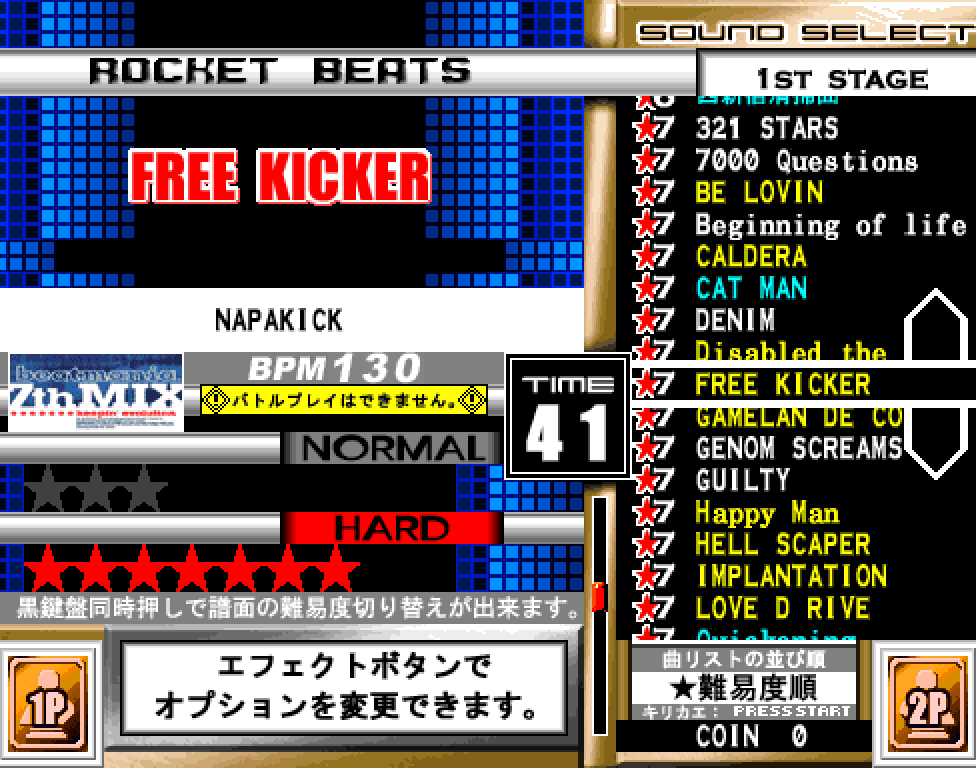
Some harder charts may not allow usage of the Battle modifier at all; this will usually present a warning on the song select screen before you pick it (and in THE FINAL, are highlighted in yellow). If you do pick it, it will instead play the 2-player chart instead. This is due to the fact that such a chart would overwhelm the hardware to such a degree that the game wouldn’t function properly; thus, they have been manually flagged to not be allowed for Battle play.
Center
Center is a modifier made specifically for 1-player mode, which literally ‘centers’ the playfield, by making the 1P turntable and 2P keys the control scheme. This is more akin to IIDX’s 1P control scheme; a left-handed turntable, and right-handed keys.
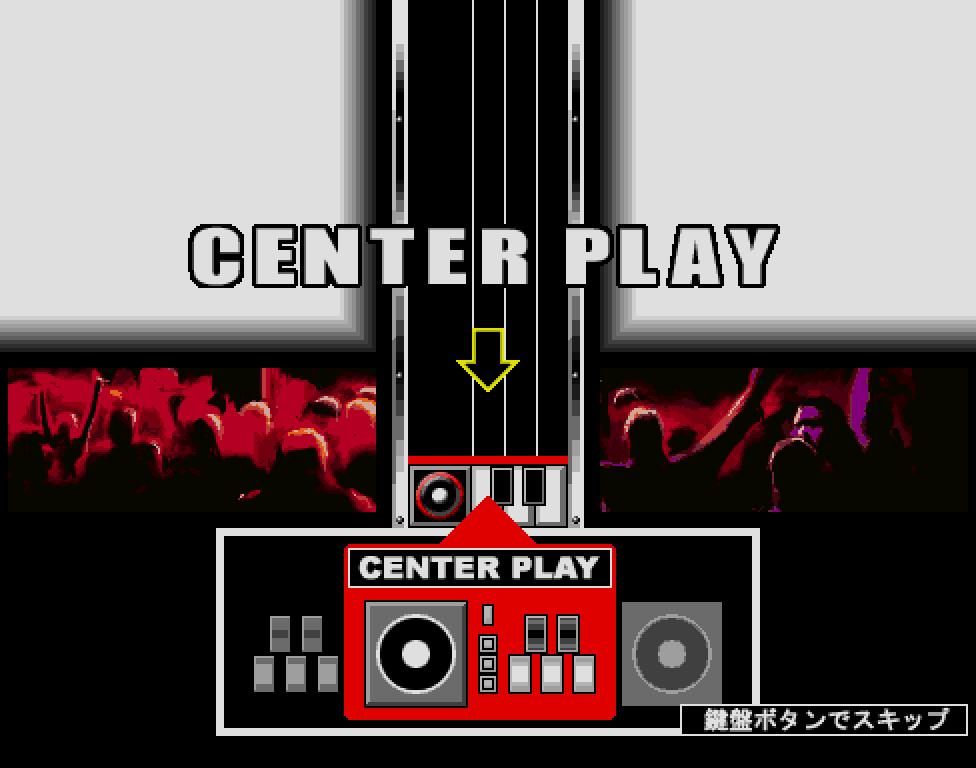
If you are more comfortable with using your left hand to scratch, this layout may be more ideal to use – however, be aware that due to the difference in spacing (on standard cabinets, the Start and Effect buttons usually separate both sides), it may be less ideal to play on in comparison to standard play.
Mirror/Random modifiers
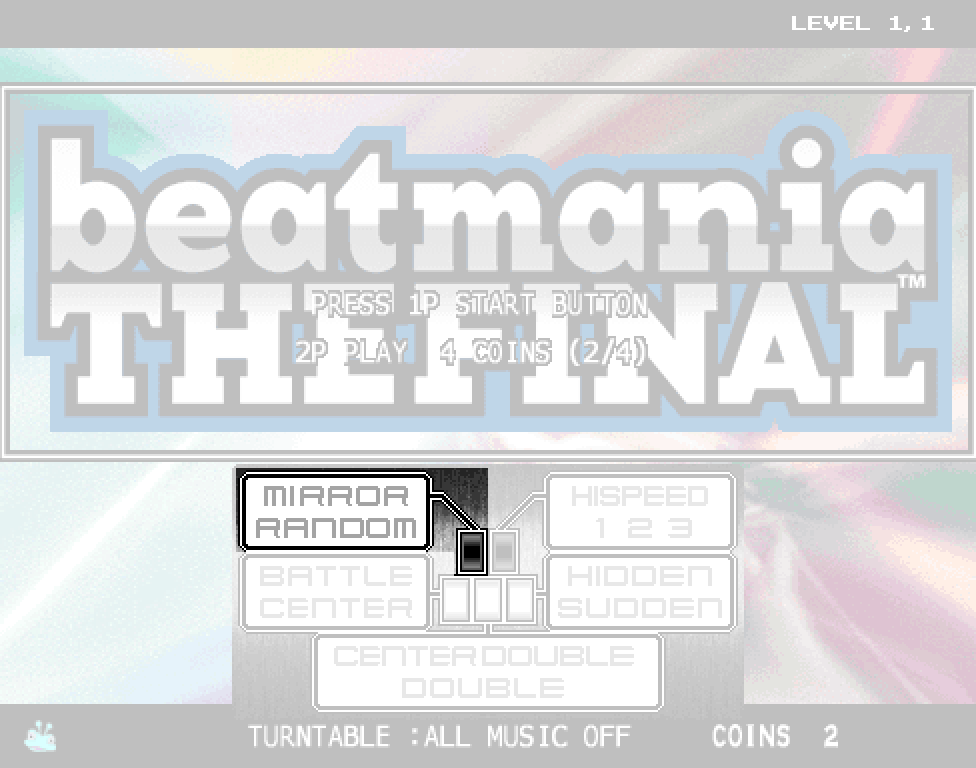
Mirror
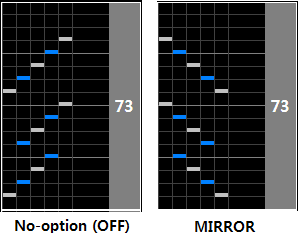
Mirror, true to its name, mirrors the key lanes of the chart are mirrored from left to right (S12345 -> S54321).
Random
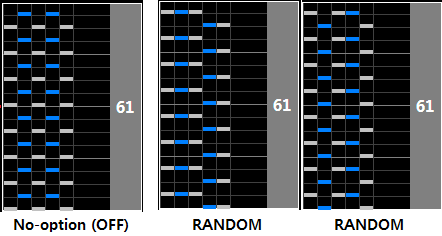
Random, to a similar extent, randomizes the key lanes. There are 5! = 120 possible permutations for SP.
If you’re a beginner, you can ignore both of these modifiers for now.
Center Double/Double modifiers
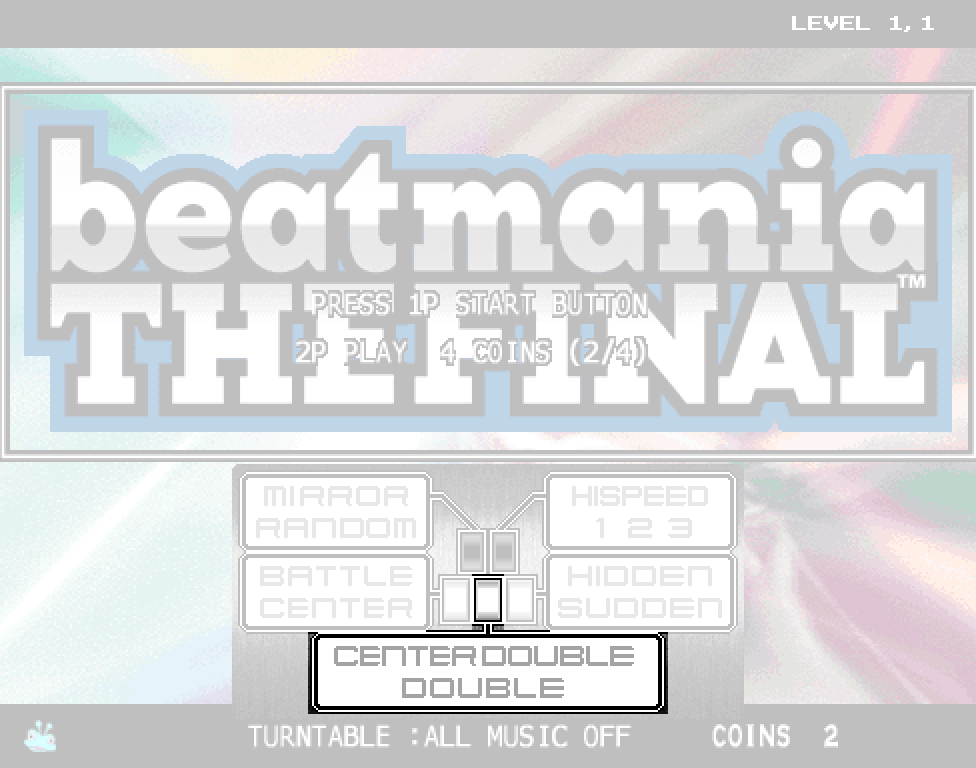
Center Double
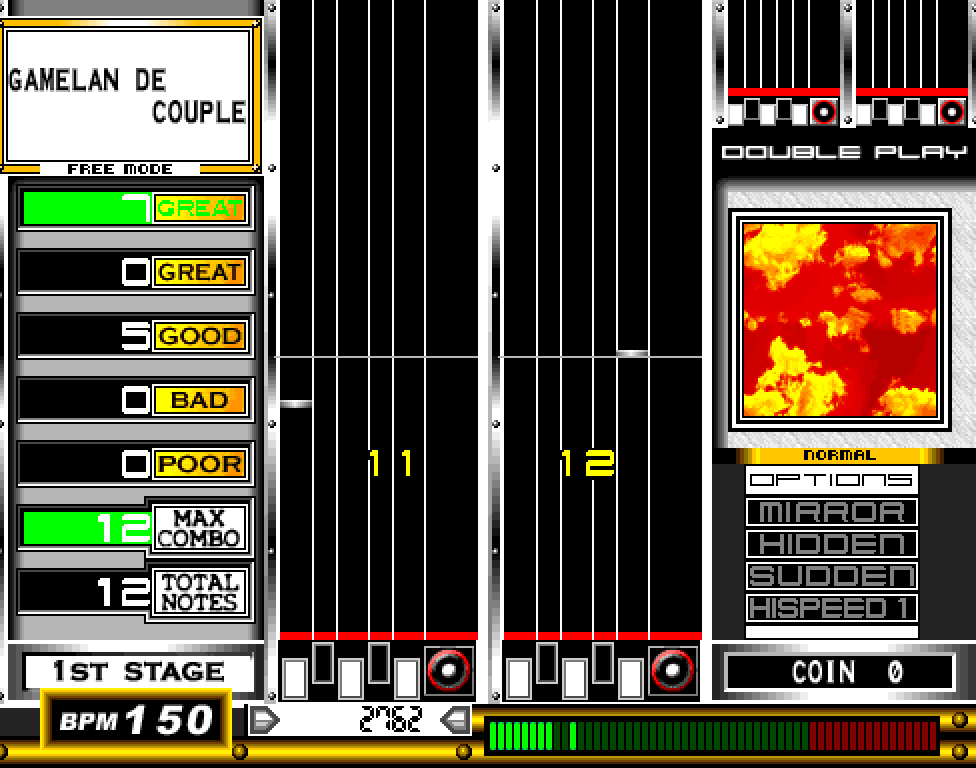
Center Double changes the standard 1P gameplay from playing 1 side, to playing both sides at the same time, using the standard 2-player chart.
If you start a 1P credit without enough credits for a 2P credit with this modifier active, you will start the game in a FREE-mode state, where you can only play 2 songs, and you can’t game over or set high scores.
Double
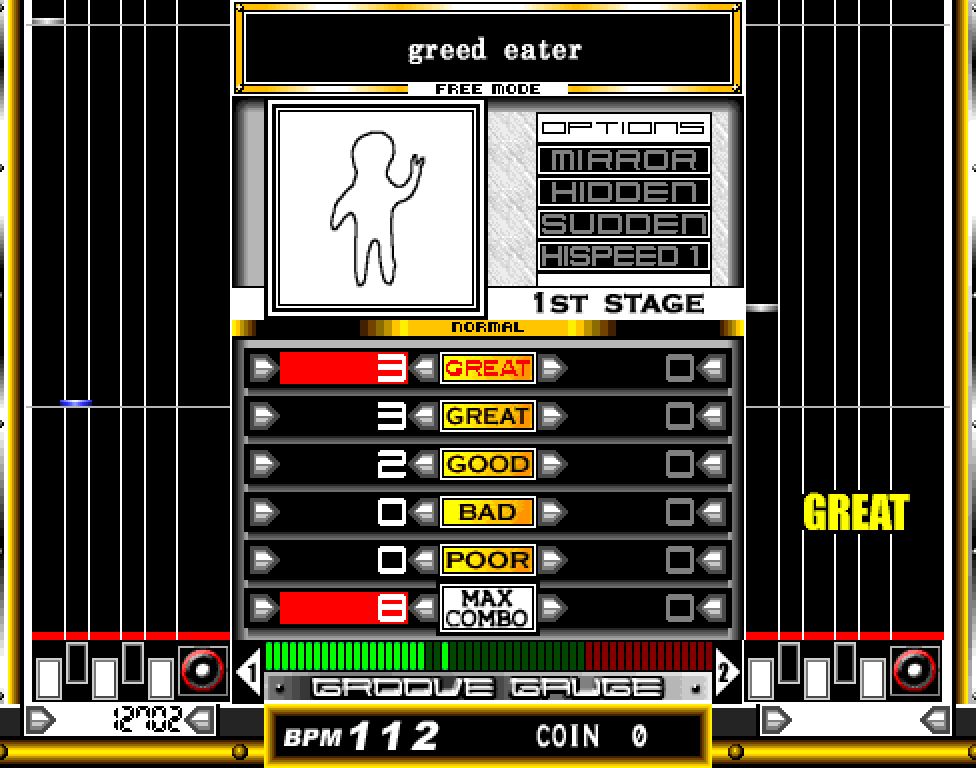
Double is exactly like Center Double, but instead of placing both playfields in the center, they are placed how they normally are in 2-player mode; on opposite sides of the screen.
Unless you have prior DP experience, or are relatively experienced with the game, it is not recommended to use either of these modifiers. If you do choose to use this modifier, it is almost always recommended to use Center Double if it is available, rather than Double – it is much harder to read charts with both playfields spread so far apart across the screen.
Hi-Speed modifiers
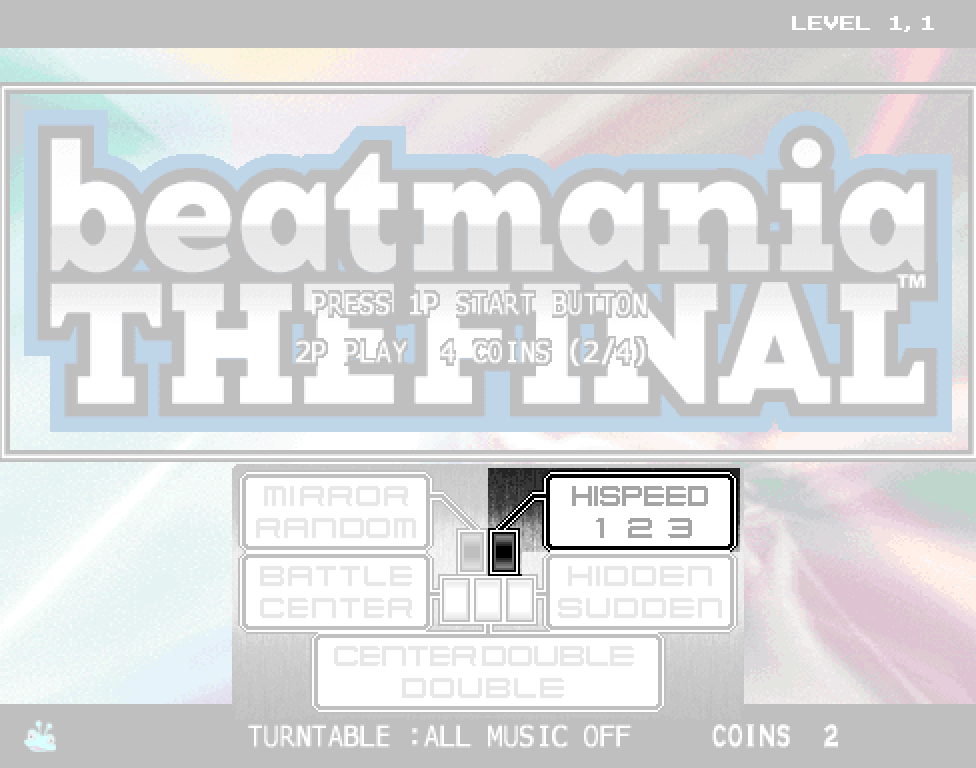
Hi-Speed 1/2/3
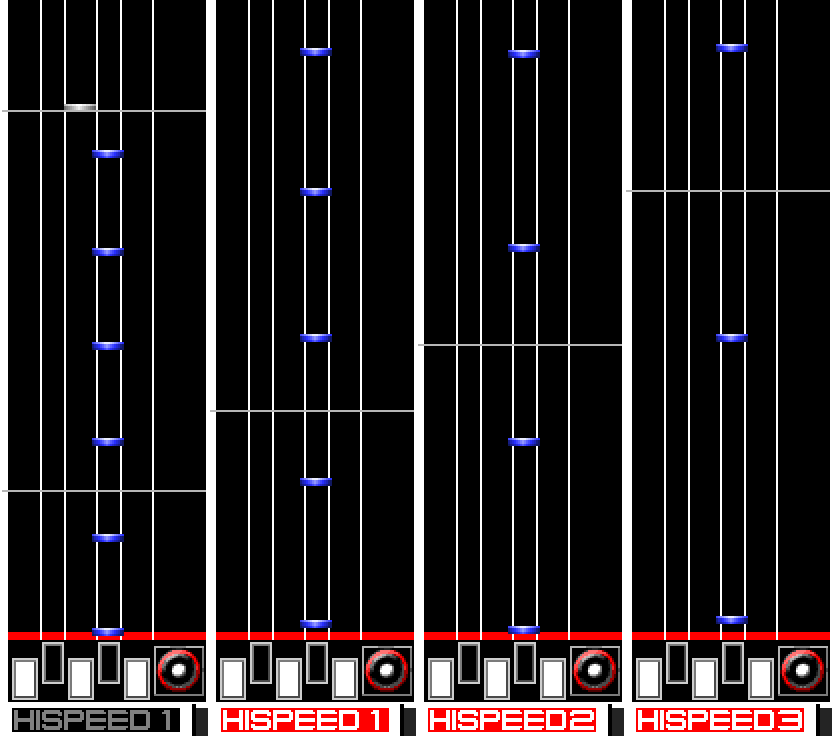
Hi-Speed, like in most other rhythm games with scroll speed modifiers, increases the rate that notes scroll down the screen by. Depending on the song’s BPM, the scroll speed can increase/decrease depending on how high/low it is.
Other games can vary how much it increases the speed by, but in THE FINAL, the values are the following:
- Hi-Speed 1: Increases scroll speed by 1.5x.
- Hi-Speed 2: Increases scroll speed by 2x.
- Hi-Speed 3: Increases scroll speed by 3x.
You should experiment and try to find a speed you’re most comfortable with reading, as harder charts will become more and more dense, making it more difficult to read without it. If you simply want to challenge yourself, however, or are just starting, leaving this modifier alone is just fine.
Hidden/Sudden modifiers
Hidden
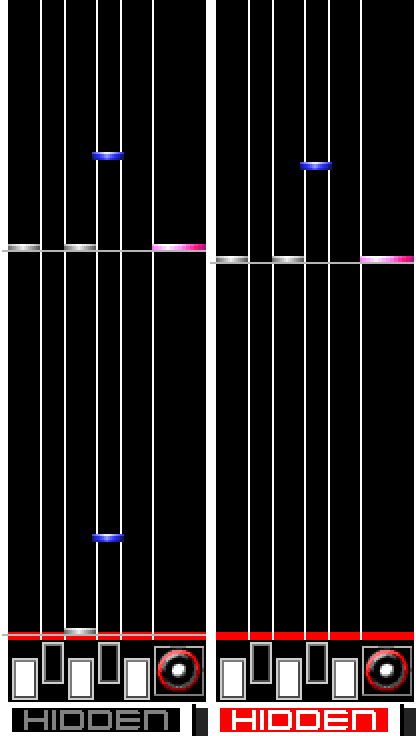
Hidden causes notes to suddenly disappear approximately 60-70% of the way across the playfield. They are still there, you must simply hit them without being able to see them.
Sudden
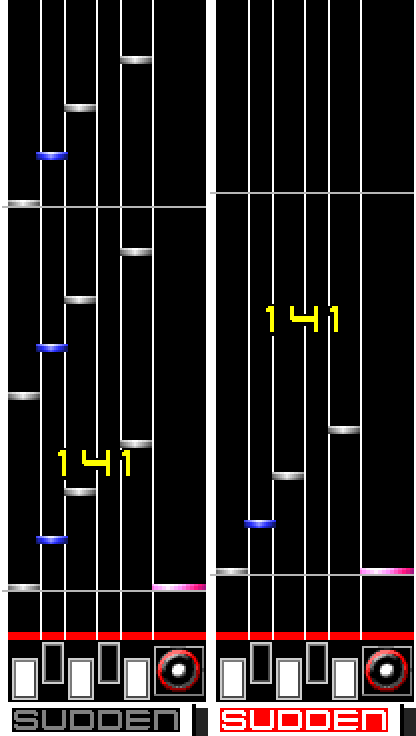
Sudden is the inverse of hidden; it causes notes to suddenly appear at around the same range of the playfield. This is significantly more difficult to read over Hidden, as the amount of time you have to perceive notes is significantly lowered, and does not take Hi-Speed into account. In addition, it pushes the judgement and combo graphic upwards, making it less in the way of the notes.
Hidden + Sudden
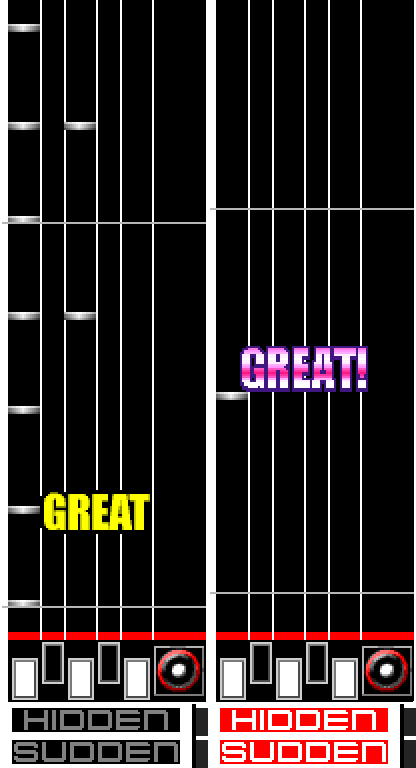
A fusion of both modifiers, Hidden + Sudden makes the window of vision for notes extremely tight, only showing them for a miniscule amount of time, just below the (moved up) judgement graphic. It is very difficult to read this, even on easier charts.
Stealth
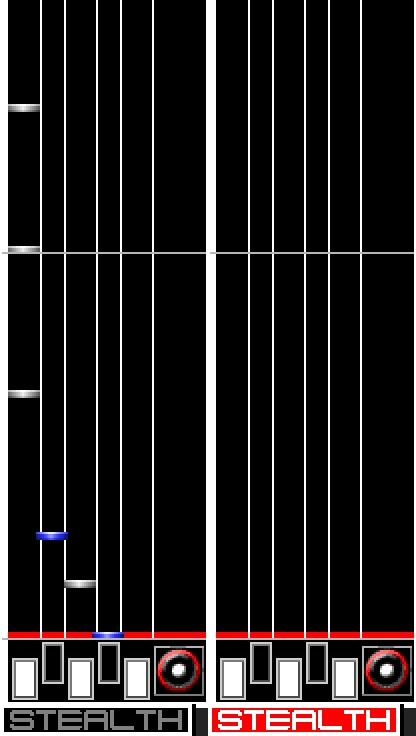
Stealth completely hides all notes on the playfield, requiring you to memorize and play the chart without any visual cues.
While Sudden has its uses for limiting the field of vision at higher levels of play, making it easier to read charts in some cases, for the most part, all of these modifiers are solely for challenging yourself, and can be safely ignored.
All Music
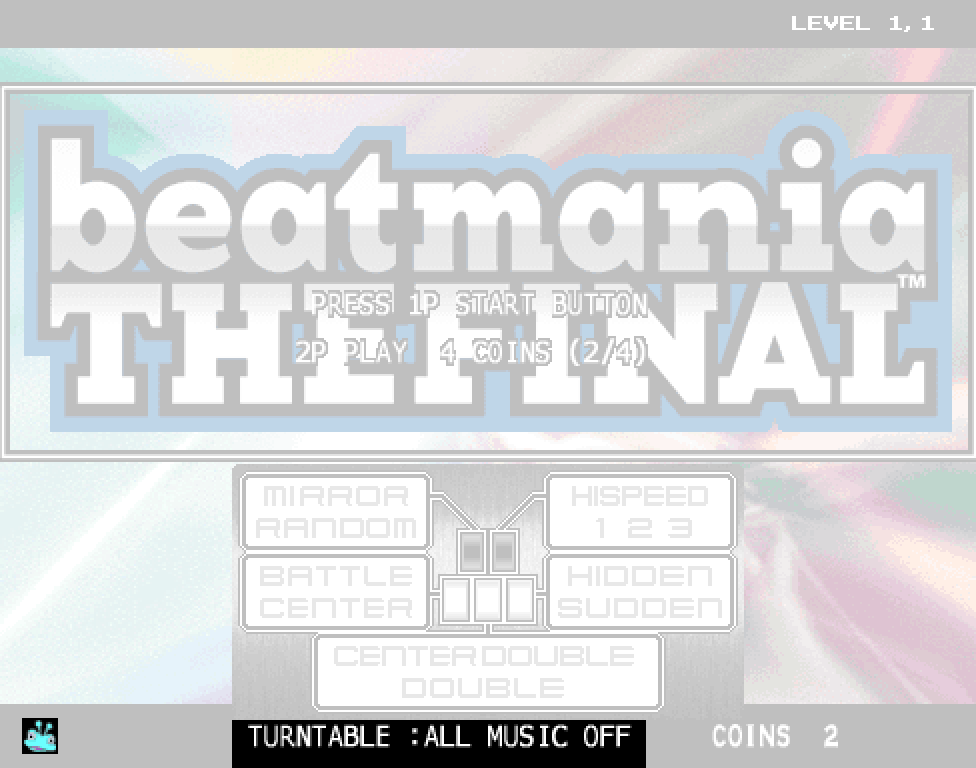
In the modifiers menu, alongside all the other modifiers, is an option labeled All Music. It is normally required to be unlocked via secret codes in most games, but in THE FINAL, most cabinets will already have it available by default (signified by the alien in the bottom left of the screen).
This option enables all songs and charts to be played, regardless of the current stage. To activate it, simply turn the turntable until the option reads ‘All Music On’.
The following charts in THE FINAL cannot be played early, and can only be played on the final stage, regardless of All Music being on or off:
- JET WORLD (Another)
- 西新宿清掃曲 (Another)
Song select modifiers menu
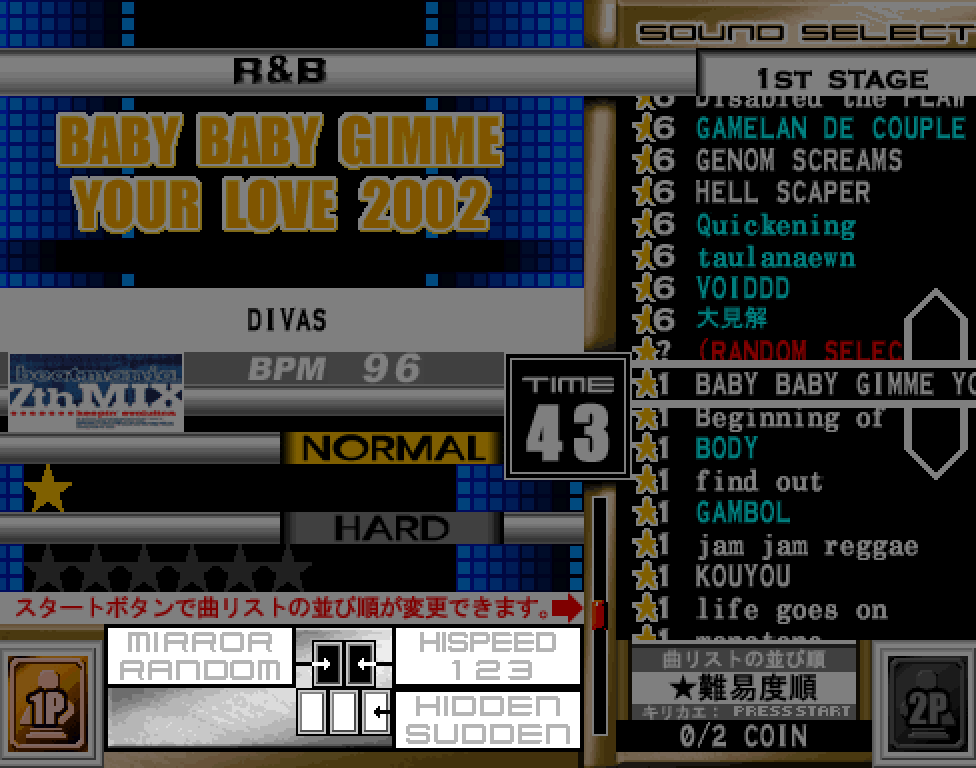
In THE FINAL, and most later beatmania entries, you can press and hold the Effect button (you may need to tap it a few times to get it to show in other games) to change modifiers, and push the corresponding key (while still holding Effect) to change modifiers.
The only modifiers you cannot change in this menu are Center, Battle, Center Double, or Double.